Recommended Hardware
Project NOMAD runs on any x86 Linux computer. Here are our recommended builds at three price points, based on real performance data from the community leaderboard.
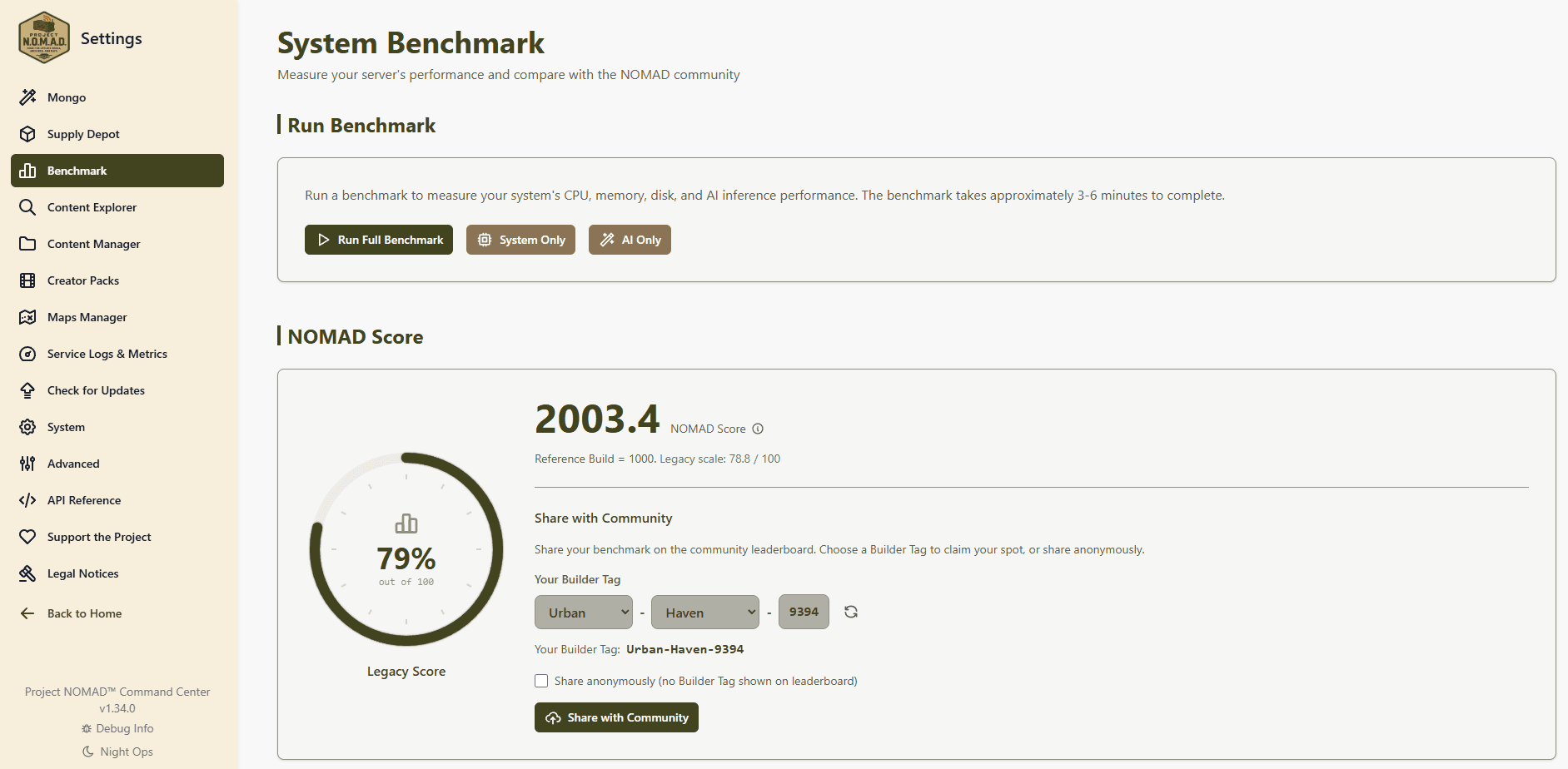
How to read a NOMAD Score. It's an index, not a percentage out of 100. Our reference build, a Ryzen 9 PRO 8945HS with Radeon 780M graphics, scores exactly 1,000. A machine that scores 2,000 is twice as fast across the benchmark as a whole, and there is no ceiling.
Budget Build
$150–$300
Offline knowledge library, maps, education. Basic AI with small models.
Specifications
Hardware
Used/refurbished mini PC or desktop (Dell OptiPlex Micro, Lenovo ThinkCentre Tiny, HP EliteDesk Mini)
Processor
Intel Core i5/i7 (8th gen+) or AMD Ryzen 5
Memory
16–32 GB DDR4 RAM
Storage
500 GB SSD
GPU
Integrated (no dedicated GPU)
What you get
- Full Wikipedia, maps, and education platform at full speed
- AI chat with small models (1–3B parameter), basic Q&A at 5–20 tokens/sec
- DDR4 platform sidesteps the current DDR5 shortage, much cheaper RAM
- Great starting point, add a dedicated GPU later to transform AI performance
Where to find deals
Refurbished mini PCs on Amazon or eBay. Search "refurbished mini PC 16GB", these come off corporate leases and are excellent value. DDR4 systems ship with RAM already installed, saving you hundreds vs. buying DDR5 separately.
Recommended Build
$500–$800
The full Project NOMAD experience. The most popular configuration on the community leaderboard.
Specifications
Hardware
Minisforum, Beelink, or similar compact mini PC
Processor
AMD Ryzen 7/9 (8700G / 8845HS / 7840HS / Ryzen AI 9 HX 370) with integrated Radeon graphics
Memory
32 GB DDR5 RAM
Storage
1 TB NVMe SSD
GPU
Integrated AMD Radeon 780M, 890M, or 8060S
What you get
- AMD Radeon 780M/890M iGPU runs an 8B model at 12–17 tokens/sec, and small 1–3B models at around 50
- Run 3–8B parameter models with responsive performance
- Ryzen AI MAX+ 395 pushes the top end at 1,600–1,800, the ultimate APU build if you want max performance without a discrete GPU
- Compact mini PC form factor, fits on a shelf or in a closet
RAM market note
DDR5 prices are significantly inflated right now. A 32GB DDR5 kit runs $360–$440 as of early 2026. Buying a preconfigured mini PC with RAM included is often cheaper than building from parts.
Power Build
$1,000+
Serious AI workloads. Dedicated GPU changes everything, fast responses on large, capable models.
Specifications
Hardware
Desktop PC, or mini PC with eGPU
Processor
AMD Ryzen 7/9 or Intel Core i7/i9
Memory
32–64 GB RAM
Storage
1–2 TB NVMe SSD
GPU
NVIDIA RTX 3060 12GB or better, more VRAM = bigger models
What you get
- GPU-accelerated AI: 40–270 tokens per second on an 8B model, and far more on smaller ones
- RTX 3060 (12GB VRAM): around 65 tokens/sec on an 8B model, scoring near 1,380
- RTX 5060 / 5070 Ti: 80–114 tokens/sec and scores of 2,000+, the new mid-range sweet spot
- RTX 3090 (24GB VRAM): around 150 tokens/sec, runs 13B+ models, still the best VRAM-per-dollar for local AI
GPU note
Project NOMAD auto-detects NVIDIA GPUs and configures Ollama for GPU acceleration. Just install the NVIDIA Container Toolkit on your host and Project NOMAD handles the rest. GPU prices are inflated, a used RTX 3060 runs $200–$300, a used RTX 3090 runs $700–$1,000, and new RTX 50-series cards start around $550.
Already Have Hardware?
Don't buy anything yet. Project NOMAD runs on almost any x86 Linux machine. That old desktop under your desk, a retired office PC, even a laptop you're not using, any of these could be a Project NOMAD server.
Run the built-in System Benchmark after install to see how your hardware performs, and compare your NOMAD Score on the community leaderboard.
Score ranges above come from measured benchmark results on the community leaderboard, not estimates.
Tested Devices
Real-world benchmarks from devices we've installed, optimized, and tested with Project NOMAD.
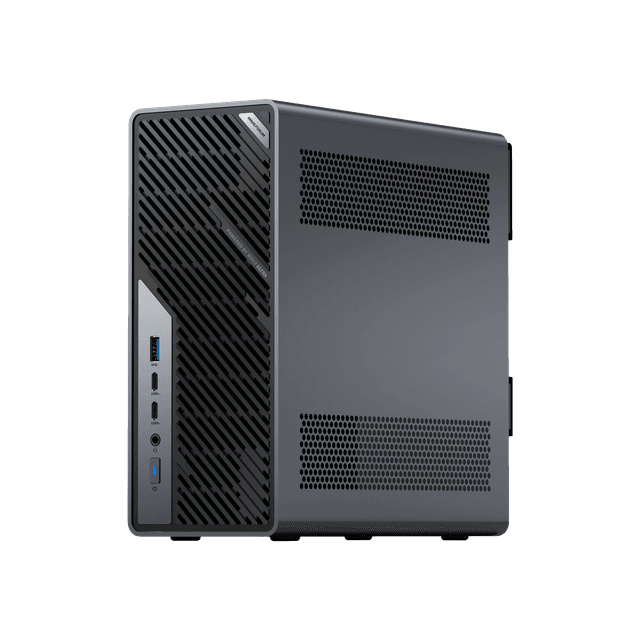
Minisforum
MS-02 Ultra
AI powerhouse with discrete GPU. Best choice for running larger AI models at high speed.
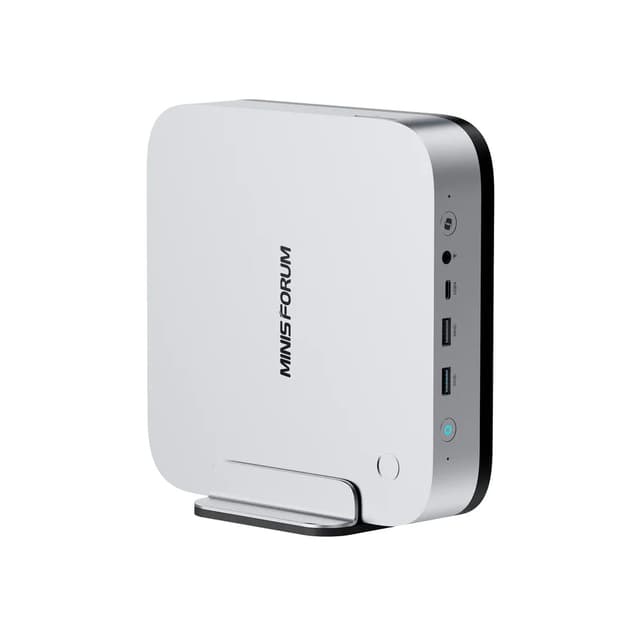
Minisforum
AI X1 Pro
Compact all-in-one. Solid AI from an integrated GPU, no discrete card needed.
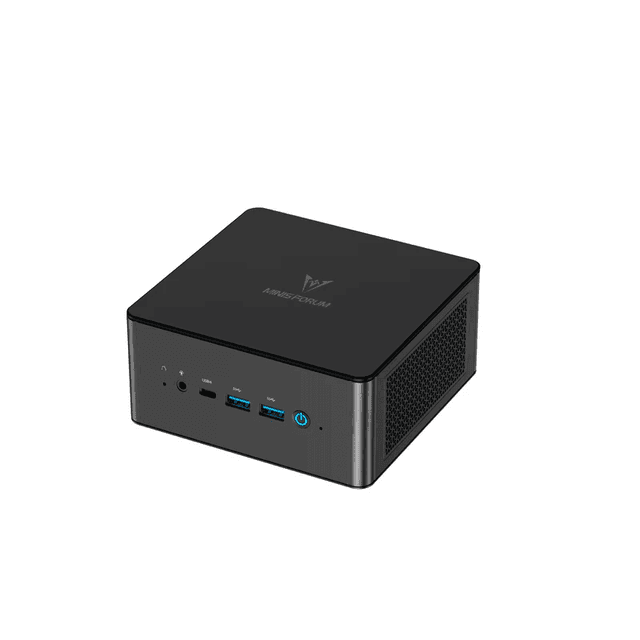
Minisforum
UM890 Pro
Mid-tier mini PC with strong CPU and 64GB DDR5 at a friendlier price than the X1 Pro. Great if you want NOMAD without the flagship price tag.
Scores are NOMAD Score v2, where our reference build scores 1,000. AI speed is measured with llama3.1:8b, an 8-billion-parameter model. Smaller models run several times faster on the same hardware.
The product links above are affiliate links. Using them costs you nothing extra and sends a small commission back to Project NOMAD, which helps fund development. It has no effect on which devices we test or the scores they earn.
What About Raspberry Pi?
Project NOMAD is designed for more capable hardware to support local AI. If you're looking for a Raspberry Pi-based solution, check out Internet in a Box , it's a great lightweight option for basic offline content.
Project NOMAD is for when you want the full experience: GPU-accelerated AI, comprehensive content libraries, and a professional management interface.
Operating System
Project NOMAD requires Ubuntu or Debian-based Linux. We recommend Ubuntu 26.04 LTS, which is what we test on. The install script handles everything else, Docker, the database, the web interface, all of it.
Power & Connectivity
Project NOMAD is designed to work offline, but you need power. Some things to consider:
- A mini PC draws 15–65W depending on load, easily powered by solar + battery
- Connect a WiFi router or access point to your Project NOMAD box so devices can connect to it
- An uninterruptible power supply (UPS) protects against sudden shutdowns
For a truly off-grid setup: solar panel + battery + mini PC + WiFi access point = complete offline knowledge station.
Ready to Build?
Pick your hardware, install Project NOMAD with one command, and you're up and running. It's free and open source.